
Paperless accounting software replaces manual expense tracking with an automated system. It allows you to photograph a receipt with your phone, have the key data extracted automatically, and build an accurate expense report without manual data entry. It is the modern solution for lost receipts and time-consuming administrative tasks.
Escaping the Shoebox of Receipts
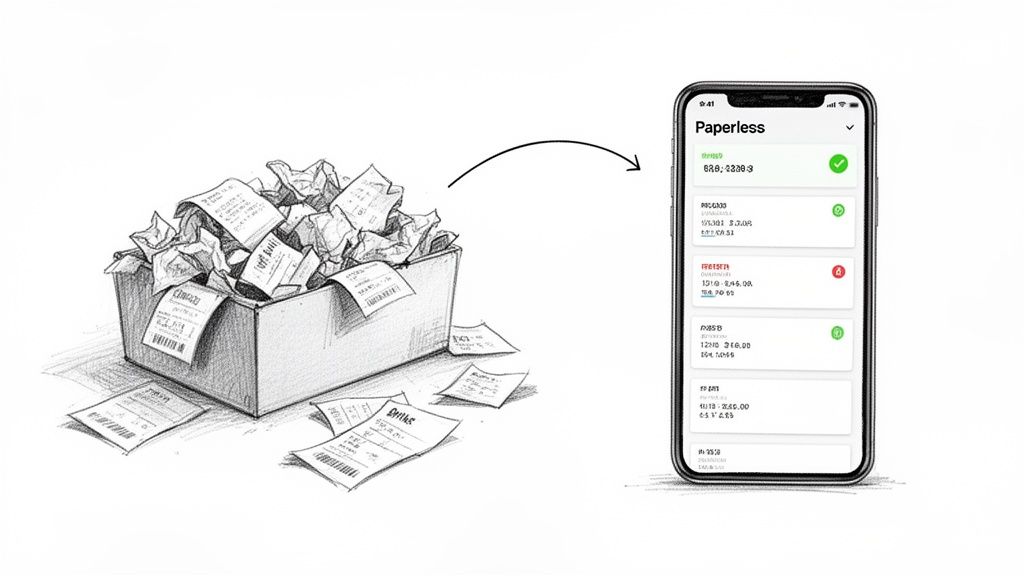
After a business trip, the administrative work begins: tackling the envelope or wallet stuffed with a month's worth of crumpled receipts. This disorganised pile of paper guarantees hours spent deciphering faded thermal ink and manually typing line items into a spreadsheet. The process is slow, prone to error, and inefficient.
Lost receipts mean lost money. This is a familiar problem for anyone who travels for work, from consultants and sales representatives to project managers. While a single missed coffee receipt seems minor, these amounts accumulate into a significant financial loss over a year for both employees and the company. The Friday afternoon back-and-forth with accounting to locate a missing document is a waste of time for everyone involved.
The Problem with Paper
The issues with paper-based expense tracking extend beyond simple annoyance. It creates genuine business risks and reduces operational efficiency.
- Compliance and Audit Risks: A shoebox of receipts is not an audit-proof system. For professionals in regulated industries like law and architecture, or freelancers in the DACH region needing to comply with GoBD, disorganised records are a serious compliance risk.
- VAT and Tax Deduction Errors: In Europe, incorrect VAT information captured from a receipt means you cannot claim it back. For self-employed professionals and small business owners managing their own bookkeeping, this is equivalent to forfeiting money.
- Wasted Professional Hours: Every hour spent sorting receipts is an hour not spent on billable client work or business development. For a high-level consultant or freelance expert, this time has a tangible opportunity cost.
The core challenge is not the paper itself, but the manual processes it necessitates. A paperless system's objective is to eliminate the administrative burden, not just the physical clutter.
The key to eliminating the shoebox is OCR recognition software, a technology that reads a scanned receipt and converts it into structured digital data. This is the engine that powers modern paperless accounting software, turning a smartphone camera into an efficient accounting tool. It marks a practical shift from a tedious, error-prone manual task to a reliable digital system designed for accuracy and speed.
What to Expect from Your Software
A capable paperless accounting system is more than a digital filing cabinet. It is a specialised tool built to remove specific, time-consuming administrative tasks from your responsibilities. The best software is designed around core capabilities that solve common expense management frustrations.
The global accounting software market is expected to reach USD 35.86 billion by 2031. This growth reflects a fundamental shift away from manual spreadsheets towards tools that automate tedious work. Cloud-based systems are leading this change, particularly among small and mid-sized businesses that require accessible, remote solutions without significant IT overhead.
Core Capabilities That Matter
When evaluating software, focus on functions that address real-world problems. For a detailed review of modern financial tools, this guide on cloud accounting solutions offers valuable information. Here are the essential features:
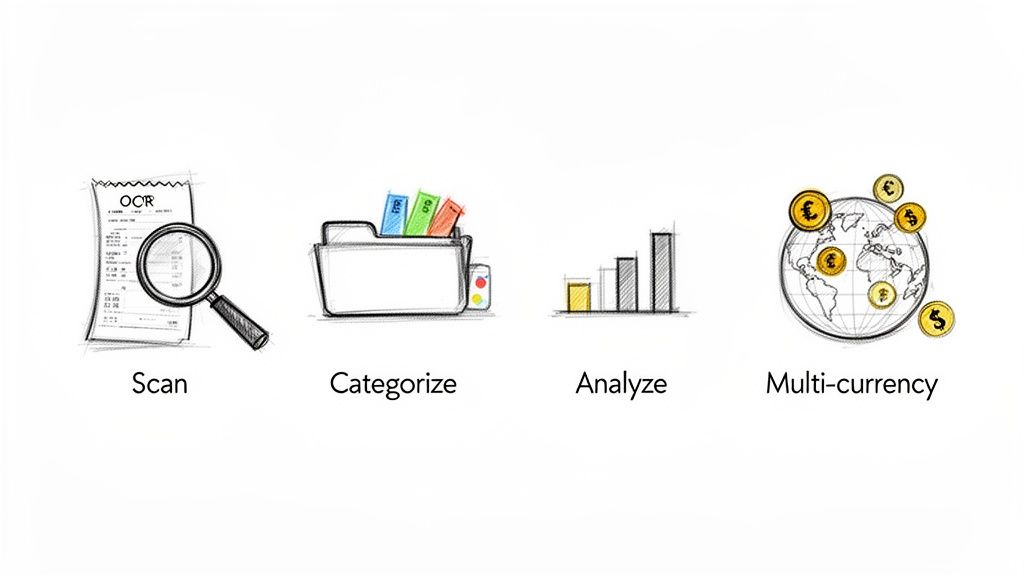
AI-Powered Receipt Scanning: This is the foundation of any paperless system. Using Optical Character Recognition (OCR), the software must read a receipt photo and instantly extract key details: vendor, date, total, and VAT. A high accuracy rate—such as the 95%+ offered by a tool like Bill.Dock—is critical. It prevents manual data entry and costly errors.
Automatic Expense Categorisation: Once data is captured, the system must intelligently assign it to the correct category, such as "Travel," "Client Meals," or "Software." This feature simplifies budget tracking and tax preparation, particularly when separating business and personal expenses.
Multi-Currency Support: For professionals who travel internationally or work with global clients, this is non-negotiable. The software must recognise and convert foreign currencies automatically. You should not need a calculator to determine the cost of a receipt from Tokyo, New York, or Berlin.
An effective tool does not just digitise your receipts; it structures the financial data within them. The objective is to convert a chaotic pile of paper into clean, actionable information with minimal effort.
Essential Functions for Collaboration and Control
For many professionals, expense management is a collaborative effort involving an assistant, accountant, or business partner. The right software must facilitate seamless teamwork.
A key feature is delegate access. A consultant at a firm like McKinsey or Accenture can grant their personal assistant secure access to their expense records without sharing passwords. The PA can then manage receipts, categorise items, and generate reports, making the process both efficient and secure.
Finally, effective reporting and analytics are necessary. Your software should generate clear reports in standard formats like PDF, Excel, or CSV. This converts raw expense data into clear spending insights, removing the need to build and maintain complex spreadsheets.
Who Benefits Most from Going Paperless?
Nearly anyone can reduce paperwork with paperless accounting software, but the benefits are most significant for those who regularly contend with manual expense management. These tools are designed for individuals who collect receipts and require clean, compliant records without being slowed down by administrative work.
Consultants and Frequent Business Travellers
Consultants at firms like McKinsey, BCG, or Deloitte, and other frequent business travellers, manage expenses across multiple cities, countries, and currencies. The traditional method—collecting paper receipts to hand over to a personal assistant—is inefficient and prone to error.
The handoff process is a major pain point. Providing a stack of crumpled receipts is insecure and forces the assistant to perform hours of tedious data entry. Paperless systems address this directly.
- Secure Delegation: A consultant can grant their PA secure access to a platform like Bill.Dock. They photograph a receipt, and it instantly becomes available for the assistant to process.
- Effortless Multi-Currency: The software automatically handles transactions in over 150 currencies, eliminating manual conversions and ensuring accurate reimbursement for international travel.
An end-of-week administrative task becomes a continuous, real-time process. This saves the consultant's time and secures their financial data.
Freelancers and Small Business Owners
For self-employed professionals and small business owners, every receipt represents a potential tax deduction or VAT claim. The "shoebox method" directly impacts profitability. Each lost or faded receipt is money that cannot be claimed. What is needed is a simple, audit-proof system for maintaining perfect records.
The primary challenges are compliance and financial visibility. A freelancer in Germany, for example, must adhere to strict GoBD regulations. A small business owner needs to track project-specific expenses to assess profitability. For more on managing these costs, refer to our guide on general and administrative expenses.
The main benefit is financial control. It is a shift from a chaotic, year-end scramble to organised, proactive bookkeeping that maximises tax benefits and provides a clear view of business health.
For this group, paperless tools offer a direct way to capture every expense, tag it to the correct client or project, and generate tax-ready reports instantly. This ensures you can confidently claim all eligible deductions and be prepared for any potential audit.
A Practical Checklist for Choosing Your Tool
Selecting the right paperless accounting software is not about finding the most features. It is about identifying a tool that solves your specific problems and improves your workflow.
This checklist is designed to help you bypass marketing claims and focus on what truly matters.
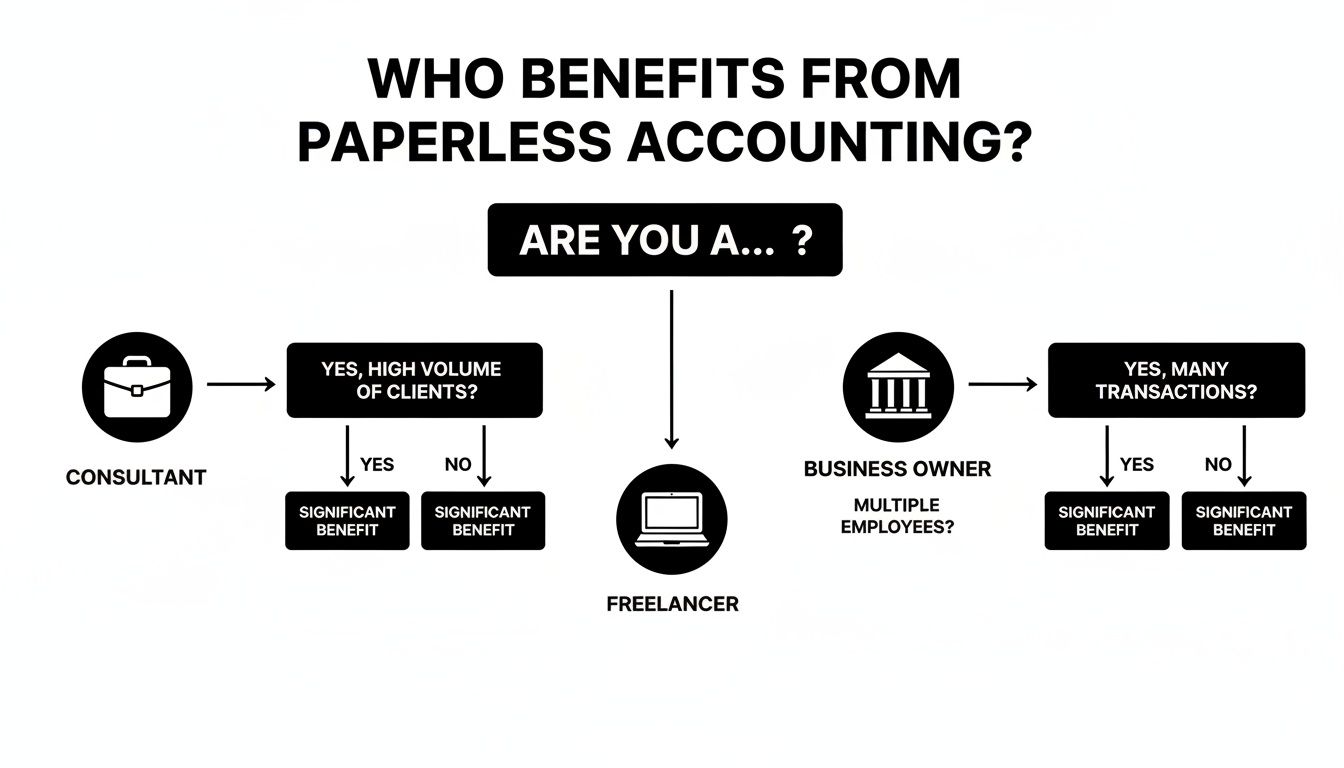
Whether you are a consultant, a freelancer, or a business owner, the goal is the same: move away from manual data entry to an organised, automated system.
How Well Does the Automation Actually Work?
The purpose of this software is to save you time. If its automation is inaccurate, you will spend time making manual corrections, which defeats the objective.
Here’s what to look for:
- What is the OCR's real-world accuracy rate? Look for tools that state a high accuracy, ideally 95% or more. Lower rates will result in too much time spent on corrections.
- Is there a reliable mobile app for both iOS and Android? You must be able to capture a receipt instantly, regardless of your location.
- Can I provide access to my accountant or assistant? For busy professionals, secure delegate access is essential for processing expenses efficiently.
Your software should function as a reliable assistant, not another task to manage. Always use a free trial to test the user interface. If it feels cumbersome, it likely is.
Is It Secure and Compliant?
You are entrusting a company with your financial data, so security is non-negotiable. Verify that a provider’s security measures and compliance certifications meet professional standards, particularly if you operate in a region with strict data privacy laws.
Ask direct questions:
- Where will my data be stored? If you are based in Europe, look for providers with servers located within the EU (e.g., Frankfurt) to ensure full GDPR compliance.
- Does it meet local tax law requirements for document retention? For professionals in the DACH region, for instance, explicit confirmation of GoBD compliance is necessary.
- What specific security protocols are in place? A trustworthy provider will be transparent about using measures like end-to-end encryption to protect your data.
The industry's shift to the cloud makes this even more critical. The global accounting software market is projected to reach $31.25 billion by 2030, driven by small and medium-sized businesses seeking secure cloud tools to reduce infrastructure costs by 30-50%. You can read the full research on the accounting software market for more on this trend.
Will It Fit My Workflow and Budget?
Even the best tool is ineffective if it does not integrate with your processes or fit your budget. How you export data from the system is as important as how you import it.
Consider the tool’s flexibility. Does it allow one-click exports to common formats like Excel, CSV, or PDF? Some complex systems, like SAP Concur, offer extensive integrations but have a steep learning curve. In contrast, tools like Bill.Dock are designed for simplicity and direct exports.
Before committing, review the pricing options for paperless accounting software. The goal is to find a plan that meets your current needs without paying for enterprise-level features you will not use.
How Bill.Dock Solves Professional Expense Management
Understanding a tool's practical application is what matters. We developed Bill.Dock as a direct, simple alternative for individual professionals who find enterprise systems like SAP Concur, Expensify, or Spendesk overly complex for their needs.
Instead of allowing receipts to accumulate, you capture them instantly. This small change in habit, enabled by a tool designed for speed, eliminates the end-of-week administrative rush. It also ensures you never miss a reimbursable expense.
A Direct Solution to Common Problems
Every feature in Bill.Dock is designed to solve a specific problem. We focus on speed and accuracy for individuals, not the complex procurement workflows found in tools like N2F or Circula.
- Eliminates Manual Entry: Our AI-powered scanning extracts data from receipts with 95%+ accuracy. This addresses the root cause of data entry errors and makes faded thermal paper a non-issue.
- Built for Mobile Professionals: With full-featured applications for Web, iOS, and Android, the tool is designed for consultants, sales representatives, and field workers who operate on the move.
- Supports Efficient Delegation: The delegate access feature is critical for anyone working with a personal assistant or accountant. It allows you to grant secure access, ending the insecure practice of emailing sensitive financial documents.
The concept is straightforward: capture the expense in seconds and let the software handle the rest. This approach recovers valuable time that would otherwise be lost to administrative paperwork.
Meeting International and Compliance Needs
For those working across borders or in regulated industries, compliance and multi-currency handling are essential requirements.
Bill.Dock supports over 150 currencies, managing conversions automatically. This is a significant advantage for frequent travellers managing receipts from London, Singapore, or New York. For users dealing with German tax law, our guide to expense reporting (Spesenabrechnung) provides additional detail.
Furthermore, all data is stored on GDPR-compliant servers in Frankfurt, a critical detail for anyone operating in Europe.
Exporting your data is just as important as importing it. One-click exports to Excel, CSV, and PDF ensure your records are immediately ready for your tax advisor without manual formatting. With clear annual pricing (Starter €59, Pro €99, Enterprise €199) and a 30-day free trial (no credit card required), Bill.Dock offers a low-risk way to solve your expense management challenges.
Making the Switch Without Complications
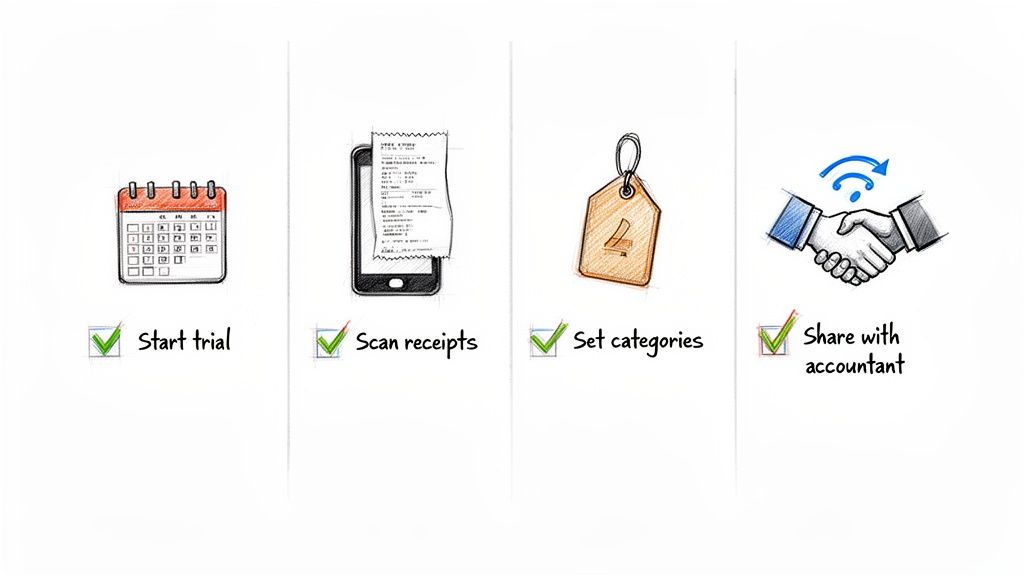
New software is only effective if it is used consistently. Transitioning to a paperless system is not complicated, but it requires a plan to avoid reverting to old habits. The key is to start small.
A free trial is the best way to begin. It allows you to see how the software fits into your daily routine without any financial commitment. Your goal during this trial is to build one single habit:
Scan every receipt immediately.
A coffee with a client? Scan it before leaving the cafe. A taxi fare? Photograph the receipt the moment you receive it. This small change is the key to preventing a pile of paper from ever accumulating again.
Setting Up for Success
Once you are comfortable with the basic function, fine-tune your setup. A small amount of initial effort will save you significant time later.
- Customise Your Categories: Do not use default expense categories if they do not suit your needs. A consultant might require specific categories like "Client Entertainment," "Project Travel," and "Software Subscriptions." Tailor them to your business.
- Establish a Workflow: If you work with an accountant or an assistant, define a clear process. For example: you scan, they categorise and file reports. A clear workflow prevents tasks from being overlooked.
- Connect Your Tools: Link the software to your email to forward digital invoices directly.
A common mistake is using the software sporadically. A tool like Bill.Dock is a commitment to a new process. The entire point is to make digital capture your default action.
This is where many people fail. They miss a few receipts, the pile grows, and the shoebox method seems easier again. By starting with a free trial, focusing on the immediate-scan habit, and taking a few minutes to configure your setup, you can make the transition successful.
Frequently Asked Questions
Switching to a paperless system raises questions about legal compliance, data security, and actual time savings. Here are answers to common concerns.
Are digital receipts legally valid for tax audits?
Yes. In most jurisdictions—including the USA, UK, Canada, Australia, Singapore, Japan, and the EU—digital copies of receipts are legally acceptable for tax purposes. The primary requirement is that the digital copy must be a clear, legible, and complete image of the original.
Regulations such as Germany's GoBD specify how digital documents must be stored to be considered audit-proof. A capable paperless accounting tool will create scans that meet these standards and store them securely, which is safer than a box of paper receipts that can fade, be lost, or be damaged.
How secure is my financial data in a cloud application?
Reputable software providers use robust security measures, including end-to-end encryption and secure, top-tier server infrastructure. When evaluating providers, look for transparency regarding their security and data protection policies.
For example, Bill.Dock uses GDPR-compliant servers located in Frankfurt, Germany, meaning your data is protected by some of the world's strictest privacy laws. Storing sensitive documents in a specialised, secure cloud application is often safer than keeping them on a local computer or in a physical filing cabinet.
How much time will I really save?
The time savings are substantial. Many users reduce hours of monthly administrative work to just a few minutes. Savings come from several key areas:
- No manual data entry, as the software's OCR does the work.
- Automatic expense categorisation, which simplifies sorting and reporting.
- Instant, one-click reports, eliminating the need for manual spreadsheet creation.
For freelancers and business owners, this also means less time spent collecting and organising documents for an accountant, which can lead to lower accounting fees and more time to focus on core business activities.
Ready to eliminate administrative work and reclaim your time? Bill.Dock offers a simple, secure, and mobile-first solution for managing your expenses. Start your 30-day free trial today—no credit card needed.
Enhanced by Outrank app