

If your current receipt management involves a shoebox, an overflowing folder, or a panicked search before every expense report deadline, you are losing money. An effective system is digital from the point of transaction, capturing expenses immediately and using tools to extract data for tax filings, reimbursements, or client billing. This is not about tidiness; it is about eliminating financial leakage from lost receipts and reclaiming valuable time.
Why Your Disorganised Receipts Are a Direct Business Cost
For professionals who travel for business or manage their own firm, a fragmented receipt process is a direct liability. The cost extends beyond administrative frustration to tangible financial loss.
Every misplaced receipt for a client dinner, a flight to Singapore, or a software subscription is a missed reimbursement or a lost tax deduction. These amounts accumulate into a significant drain on personal or company finances annually.
This issue is a persistent challenge for consultants at firms like McKinsey or BCG, self-employed professionals across Europe and North America, and any employee filing regular expense reports. Professionals must manage multiple currencies, varying VAT rates, and strict compliance requirements from their company or tax authorities. A simple task becomes a high-stakes, time-intensive process. The Friday afternoon back-and-forth with accounting over a missing invoice is a common and avoidable drain on productivity.
The Real Costs of Manual Receipt Handling
The most significant cost is your time. Manually entering data from a pile of receipts—deciphering faded thermal paper, verifying currency conversions, and categorising expenses—is an inefficient use of professional expertise. Your focus should be on client delivery and business development, not low-value administrative tasks.
This traditional approach carries concrete consequences:
- Lost Revenue: An unreimbursed business expense is effectively a donation to your employer or client. Without proof of purchase, you cannot claim what you are owed, whether from an employer or as a VAT refund.
- Compliance Risk: Tax authorities such as the IRS in the US or HMRC in the UK enforce strict record-keeping rules. A shoebox of crumpled receipts is a liability during an audit, potentially leading to disallowed deductions and financial penalties.
- Delayed Reimbursements: An inefficient submission process delays your expense reports. Consequently, reimbursement is delayed, impacting personal cash flow. For freelancers and small businesses, these delays can create serious financial pressure.
A disorganised approach to receipts is not a minor inconvenience; it is a systemic failure that directly erodes profitability. The time wasted, revenue lost, and compliance risks incurred are tangible business costs.
A structured, digital system for organising receipts is not an optional extra; it is a fundamental business control. It protects your income, ensures compliance, and frees up your time for high-value work.
Building a Reliable Receipt Capture Workflow
Without a consistent method for capturing receipts, you default to the "shoebox method," which inevitably leads to lost funds, wasted hours, and compliance issues. The solution is a simple, repeatable habit: digitise every receipt at the moment of acquisition.
Adopt a 'capture-on-receipt' policy.
Whether it is a paper receipt from a taxi in Tokyo or a PDF invoice for a new software subscription, process it immediately. Waiting until the end of the day or week invites disorder. Thermal paper fades, receipts are lost, and recalling the business purpose of a purchase made three weeks prior is an inefficient use of mental energy.
To establish a solid foundation, it is useful to explore the different ways of record keeping to ensure your financial data is consistently accurate and accessible.
A Mobile-First Approach for Professionals on the Move
For frequent travellers—consultants, sales representatives, project managers—a smartphone is the primary tool for expense capture. The process must be as quick as taking a photograph. Immediately following the transaction, open your scanning application and capture the receipt.
This is the specific function for which tools like Bill.Dock were designed, with applications for both iOS and Android. A single photo is sufficient for its AI to extract key data—vendor, date, amount, and VAT—with over 95% accuracy. This immediate capture ensures that a flimsy receipt from a café in Frankfurt is securely digitised before it is lost. It eliminates the need for manual data entry, a slow and error-prone task that can compromise reimbursements.
Handling Digital Invoices and E-Receipts
As a significant portion of business transactions now occur online, your email inbox has become a primary source of receipts. Manually saving PDF invoices from online purchases and subscription renewals is tedious and easily overlooked. The solution is an automated email forwarding system.
Many platforms, including Bill.Dock, provide a unique email address for your account. Forward any e-receipt to this address for automatic processing. For greater efficiency, configure email filters in services like Gmail or Outlook to auto-forward invoices from recurring vendors. This creates a fully automated workflow for capturing and organising digital receipts without manual intervention.
Desktop Scanning for Accumulated Paperwork
Despite a digital-first approach, paper receipts remain a factor. A disciplined desktop scanning process is required to manage them.
Establish a physical "in-tray" on your desk. At a designated time each day, scan the accumulated receipts in a single batch using a desktop scanner or your tool's web application. This discipline prevents the paper build-up that necessitates administrative catch-up sessions.
This flowchart shows what is at stake when receipts are not managed correctly.
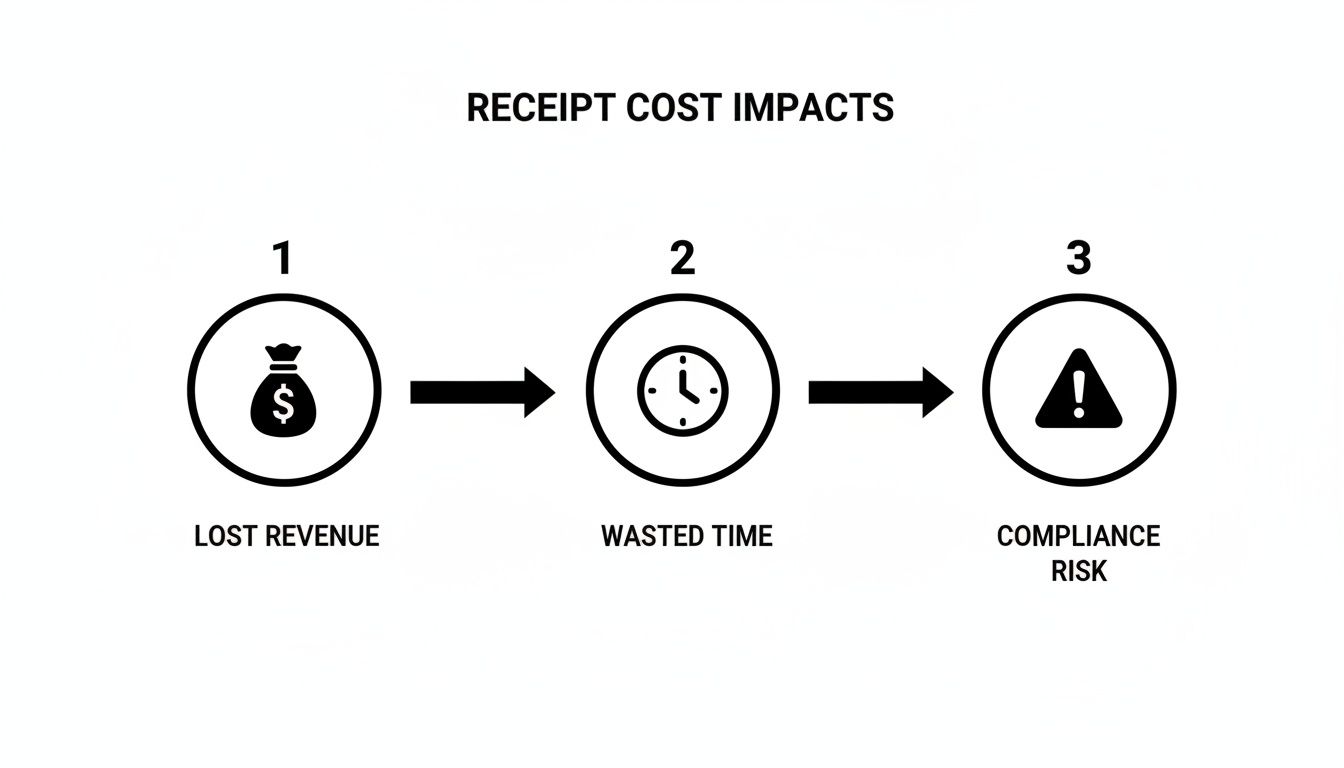
Each icon represents a tangible cost to your business, highlighting how disorganised receipts directly translate into lost revenue, wasted time, and significant compliance risks.
The global shift towards digital workflows is clear. Recent data projects the cloud-based receipt management market to grow from USD 4.11 billion to USD 11.36 billion by 2034. This growth is driven by professionals seeking to escape manual administration. One study found that 60% of freelancers spend over 10 hours per month on expense management. By using a tool to correctly assign receipts to projects, this administrative time can be reduced by up to 70%.
Photographing a receipt is only the first step. An image file alone is merely a digital version of the paper receipt; it is not searchable or actionable. The critical process is converting that image into structured data.
This means extracting key details: the vendor name, date, total amount, and VAT. This conversion transforms a static image into a functional asset for expense reports, tax filings, and bookkeeping. Without this step, you are still performing manual data entry.
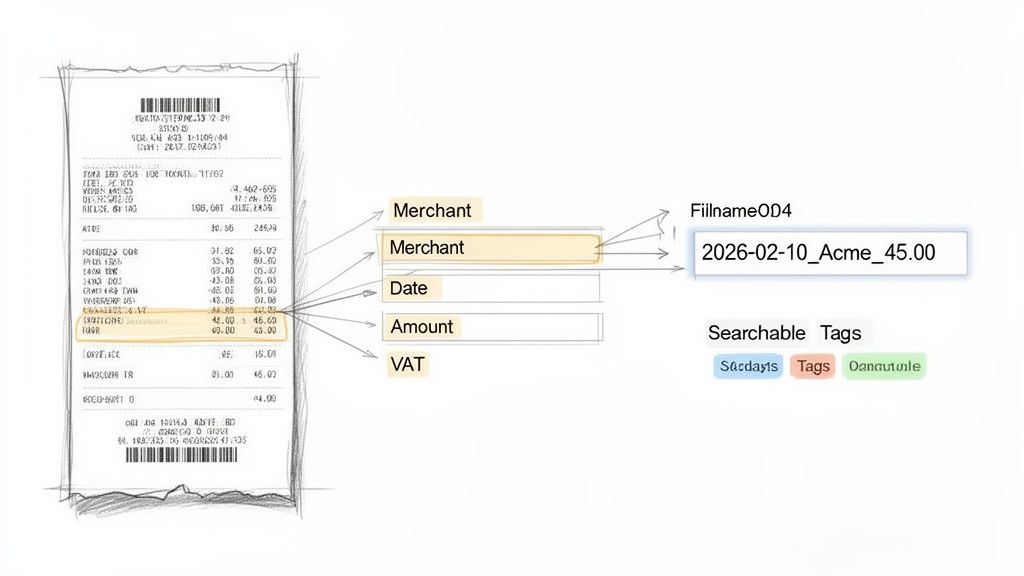
It is possible to implement a manual digital filing system, such as a folder structure (Expenses > 2024 > 05_May) with a consistent file naming convention like YYYY-MM-DD_Vendor_Amount_Currency.pdf (e.g., 2024-05-21_DeutscheBahn_129.50_EUR.pdf). This makes files sortable and identifiable. However, the time required to manually rename every receipt is impractical for professionals with a significant volume of expenses.
The Problem with Manual Data Extraction
Manually transcribing data from receipt images into a spreadsheet is inefficient and prone to error. A simple typo, such as entering £95 instead of £59, compromises the accuracy of your financial records and can lead to incorrect reimbursements.
The core issue with manual processing is that it forces professionals to act as data entry clerks. Every minute spent on this task is a minute not spent on client work, sales, or business strategy.
While large corporations may use data entry outsourcing firms, a more integrated and intelligent solution is better suited for most freelancers, consultants, and small businesses.
Leveraging AI for Accurate Data Extraction
Modern tools use optical character recognition (OCR) and artificial intelligence to automate data extraction. When a receipt photo is uploaded to a platform like Bill.Dock, its AI immediately analyses the image.
The system intelligently identifies and extracts crucial data points with over 95% accuracy, including:
- Merchant: The vendor you paid.
- Date & Time: The exact time of the transaction.
- Total Amount: The final transaction value.
- Currency: Automatic recognition of GBP, EUR, USD, JPY, and more—critical for business travellers.
- VAT/Tax Amount: Extraction of specific tax details required for deductions, essential for business operations in Europe.
This automated process significantly reduces the human error inherent in manual entry. The structured data populates a digital expense record, ready for categorisation and reporting. This improves not just speed but the fundamental accuracy and reliability of your financial records.
A Comparison of Receipt Management Methods
The advantages of an AI-powered approach over manual methods become clear in a side-by-side comparison. Each method presents a trade-off between time investment, cost, and data accuracy.
This table outlines the three common approaches:
| Feature | Manual 'Shoebox' Method | Digital Folders and Spreadsheets | AI-Powered Tool (e.g., Bill.Dock) |
|---|---|---|---|
| Data Entry | 100% manual, often at month-end | Manual entry into a spreadsheet | Automated via AI scanning |
| Accuracy | Very low; prone to typos & lost receipts | Moderate; risk of human error remains | High (95%+ accuracy) |
| Time Investment | Extremely high; hours of sorting | High; significant admin time required | Minimal; seconds per receipt |
| Searchability | Non-existent | Limited to file names and folders | Instant search by vendor, date, amount |
| VAT Compliance | Difficult; requires manual calculation | Prone to errors; tedious tracking | Automated VAT extraction and reporting |
| Multi-Currency | Requires manual conversion lookups | Complex manual tracking in spreadsheets | Automatic recognition (150+ currencies) |
Ultimately, converting images into structured, usable data is the most critical step in a modern receipt management system. While a tidy digital folder structure is superior to a physical shoebox, it cannot match the speed and precision of an AI tool designed for busy professionals.
Right, you have captured your receipts. The next step is to make that data functional. This involves moving beyond a digital archive to an organised system that simplifies tax preparation, client billing, and business analysis.
This is the stage where you define the purpose of each expenditure. Correctly executing this step is what distinguishes a clean, audit-proof set of financial records from a disorganised digital file that creates unnecessary work for your accountant.
Aligning Expenses with Tax Regulations
For any self-employed professional—freelancer, consultant, or small business owner—categorising expenses for tax deductions is critical. Tax authorities like the IRS or HMRC have specific rules regarding deductible business expenses.
The most frequent and costly error is co-mingling business and personal spending. This is a primary audit trigger and can lead to disallowed deductions. The fundamental rule is to maintain strict separation. For every receipt, determine if the expense was for business or personal purposes.
Once confirmed as a business expense, it must be assigned to a standard tax-deductible category, such as:
- Travel: Airfare, hotels, and rail tickets for business trips.
- Meals & Entertainment: Business lunches or client hospitality (regulations vary significantly by country).
- Office Supplies: Consumables, stationery, and software subscriptions.
- Professional Services: Fees for accountants, lawyers, or other consultants.
- Vehicle Expenses: Fuel, maintenance, and insurance for a business vehicle.
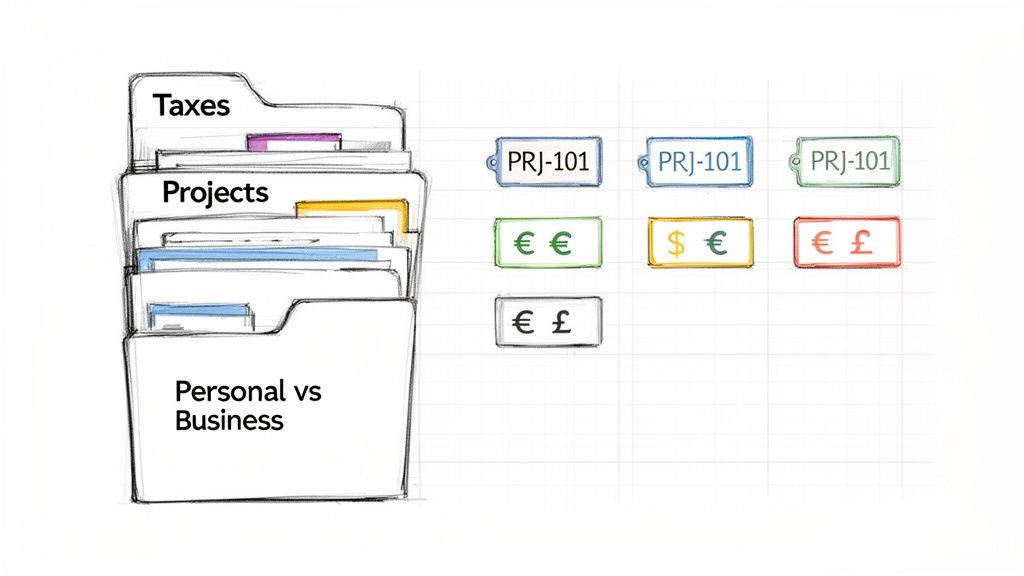
An effective application facilitates this process. With a tool like Bill.Dock, you can configure these categories and tag receipts directly from your mobile device at the moment of capture. This small habit prevents the last-minute stress associated with tax deadlines. To better understand how these costs affect your profitability, you can learn more about managing general and administrative expenses in our detailed guide.
The discipline of categorising each receipt as it is captured prevents end-of-quarter administrative chaos. It ensures every legitimate deduction is recorded and defensible, directly impacting your final tax liability.
Assigning Costs to Projects and Clients
For professionals who work directly with clients—such as management consultants, architects, or independent contractors—tracking expenses by project is essential for accurate billing and profitability analysis. Failure to do so results in unrecovered costs. Without precise expense tracking, it is impossible to determine the true profitability of a project.
Establish a rule: every receipt related to client work must be tagged with a project code, client name, or job number. This includes hotel stays for on-site visits, materials purchased for a specific engagement, and transportation to meetings.
This simple step provides significant business insights:
- Accurate Invoicing: Generate an itemised list of billable expenses to include with your invoice. This eliminates lost revenue and provides clients with transparency.
- True Profitability Tracking: By linking both income and expenses to a project, you can accurately assess which clients or jobs are most profitable.
- Proactive Budgeting: Monitor project spending in real-time, not weeks later. This enables you to identify potential budget overruns before they escalate.
Managing Multi-Currency Expenses
For professionals who travel internationally, managing receipts in multiple currencies is a recurring challenge. A single European trip can result in receipts in GBP, EUR, and CHF. Manually converting these amounts using the correct historical exchange rates is both tedious and error-prone.
Modern tools have solved this problem. When you scan a receipt in a foreign currency, a platform like Bill.Dock—which supports over 150 currencies—automatically processes it. The system recognises the currency, records the transaction in its original amount, and converts it to your base currency using the exchange rate for that day.
This dual-currency record is essential for accurate accounting. Your expense report will clearly show both the original amount (e.g., ¥10,000) and its converted value (e.g., £53.45). This provides a transparent, compliant record that maintains the integrity of your books and ensures reimbursements are calculated correctly.
Automating Reports and Delegating Access
With a robust system for capturing and categorising receipts, you can shift from record-keeping to active expense management. This involves generating clean, compliant reports and collaborating effectively with team members or your accountant. The objective is to reduce a task that once took hours to mere minutes.
The Friday afternoon rush to compile a spreadsheet, attach receipt images, and resolve queries from the finance department is a common productivity killer.
Generating Compliant and Professional Reports
When your expense data is structured and centralised, report generation is straightforward. Modern tools allow you to filter by date range, project, or category and export the information in the required format.
Different formats serve specific purposes:
- PDF Reports: Ideal for a professional summary for reimbursement submission or client presentation. A comprehensive PDF report includes an itemised expense list alongside corresponding receipt images, creating a complete, self-contained document.
- CSV/Excel Exports: Necessary for deeper analysis or for providing data to your bookkeeper. This format supplies the raw data your accountant needs to import directly into accounting software like Lexware, eliminating manual data entry.
- ZIP Archives: An efficient method for delivering records to your tax advisor. A ZIP export bundles all receipt scans into a single, organised folder, avoiding a stream of email attachments. For German-specific requirements, see our guide on creating a compliant Spesenabrechnung.
Automation directly addresses the bottlenecks that delay reimbursements. An analysis of over 371,000 expense claims revealed that only 2.6% were approved immediately, while 27% took over 30 days to process. These delays, typically caused by missing receipts and manual errors, can severely impact cash flow. Automated reports ensure completeness and accuracy from the outset, significantly reducing approval times. You can find more details in reports on expense management software trends.
Secure Delegation for Efficient Collaboration
For many professionals, expense management is a collaborative effort. A busy consultant may have a personal assistant handle reports, while a small business owner works with an external accountant. The traditional method of collaboration—emailing spreadsheets and receipt images—is inefficient and insecure.
Providing login credentials to your entire financial account for expense processing is a significant security risk. Secure delegation involves sharing only the necessary information without compromising control.
Delegate access functionality is a critical feature. A platform like Bill.Dock allows you to grant specific, controlled access to another user, such as an assistant or tax advisor. You determine what they can view—perhaps only expenses for a single project or a specific quarter. They can then log in with their own credentials to access, code, and export the necessary data without accessing your primary account or other private financial information.
This approach resolves several key problems:
- It eliminates repetitive email requests for specific receipts.
- It provides your accountant with real-time access to organised financial data, enabling proactive advisory.
- It maintains a clear audit trail, documenting who accessed what data and when.
By incorporating automation and secure delegation, you can transform expense management from a reactive, time-consuming task into a controlled and efficient business process.
Choosing the Right Receipt Management Tool
Selecting the right software is fundamental to your receipt management system. The market is divided into two main categories: large, complex enterprise systems and leaner, more agile tools designed for individuals and small teams. Identifying the correct category for your needs is essential to avoid paying for unused features.
Enterprise-grade platforms like SAP Concur or Spendesk are designed for large corporations requiring comprehensive solutions that integrate travel booking, procurement, and company-wide spending policies. For an individual consultant, freelancer, or small business owner, these systems are often overly complex and cost-prohibitive.
In contrast, a class of mobile-first applications has emerged to focus on rapid, efficient expense logging for professionals.
Individual-Focused vs. Enterprise Solutions
Tools such as Bill.Dock, N2F, and Circula are designed for professionals who need to capture a receipt and continue with their work. Their focus is on a high-quality mobile application, fast AI-powered scanning, and straightforward reporting. They address the specific needs of frequent travellers and self-employed individuals without corporate overhead.
When evaluating your options, focus on the features that provide tangible, daily benefits:
- AI Scanning Accuracy: The tool's ability to correctly read receipt data is paramount. A platform like Bill.Dock offers over 95% accuracy, reducing the need for manual corrections of vendor names, dates, and amounts.
- Mobile App Quality: The user experience of the mobile app is critical. Capturing a receipt should be an action that takes seconds, not a frustrating process.
- Multi-Currency Support: For professionals working internationally, this is non-negotiable. The tool must automatically recognise and convert foreign currencies. Bill.Dock supports over 150 currencies, a key feature for those operating across Europe, Asia, or North America.
- Compliance Features: The software must adhere to local tax and data protection laws. For professionals in the DACH region, GoBD-compliant storage and correct VAT handling are essential. Bill.Dock meets these requirements, using EU-based servers in Frankfurt for full GDPR compliance.
For a consultant at a major firm or a self-employed professional, the optimal tool is rarely the most complex one. Key priorities are speed, mobile accessibility, and accurate data to facilitate rapid reimbursements and clean tax records.
While enterprise systems are appropriate for large organisations, a focused tool like Bill.Dock provides the right balance for individuals and small teams. It offers powerful features such as delegate access for an assistant and multiple export options (PDF, Excel, CSV) without unnecessary complexity. The pricing reflects this focus, with plans like Starter at €59/year and Pro at €99/year.
Most tools offer a trial period. Bill.Dock provides a 30-day free trial without requiring a credit card. For additional guidance, our article on choosing the best paperless accounting software offers further insights.
Frequently Asked Questions
When professionals decide to systematise their receipt management, several common questions arise. Here are the direct answers.
How Long Should I Keep Business Receipts?
This depends entirely on your jurisdiction. Tax authorities have strict, non-negotiable rules on record retention.
A summary of key requirements:
- USA: The IRS generally requires records to be kept for 3 years from the filing date. This can extend to 7 years in certain circumstances.
- UK: HMRC requires self-employed individuals and partnerships to retain records for at least 5 years after the 31 January submission deadline.
- DACH Region (Germany, Austria, Switzerland): Compliance standards are very high. German GoBD regulations, for example, mandate a 10-year retention period for most financial documents.
A digital, cloud-based system is the only practical way to manage these long-term retention requirements without being overwhelmed by physical paper records.
The primary risk is not just failing an audit, but losing a legitimate tax deduction due to a lack of proof. Without the receipt, a valid business expense becomes a personal cost. A secure digital archive is your financial defense.
Can I Discard Paper Receipts After Scanning Them?
In most cases, yes. In jurisdictions such as the UK, USA, and Canada, a clear, complete, and legible digital copy is legally equivalent to the paper original.
However, in more strictly regulated environments like the DACH region, additional care is required. German tax law (GoBD) has specific requirements for ensuring digital copies are tamper-proof. Using a certified tool is critical in these markets. A platform like Bill.Dock is designed to provide GoBD-compliant archiving, ensuring full compliance for you and the tax authorities.
What Is the Best Way to Handle Receipts in Multiple Currencies?
For business travellers, multi-currency receipts are a common complication. Manually researching historical exchange rates for past trips is inefficient and prone to error.
Technology automates this process. When you capture a receipt in a foreign currency, a tool like Bill.Dock instantly recognises it (supporting 150+ currencies), records the original amount, and converts it to your base currency using the official exchange rate for that day.
This provides a precise, audit-proof record for expense reports and eliminates all guesswork.
Ready to eliminate manual receipt entry and implement a system that supports your work? Bill.Dock offers AI-powered scanning, secure delegate access, and multi-currency support designed for busy professionals. Start your 30-day free trial today—no credit card required.
Authored using the Outrank app